You can see detailed information about the Online Platform where you can watch online presentations below.
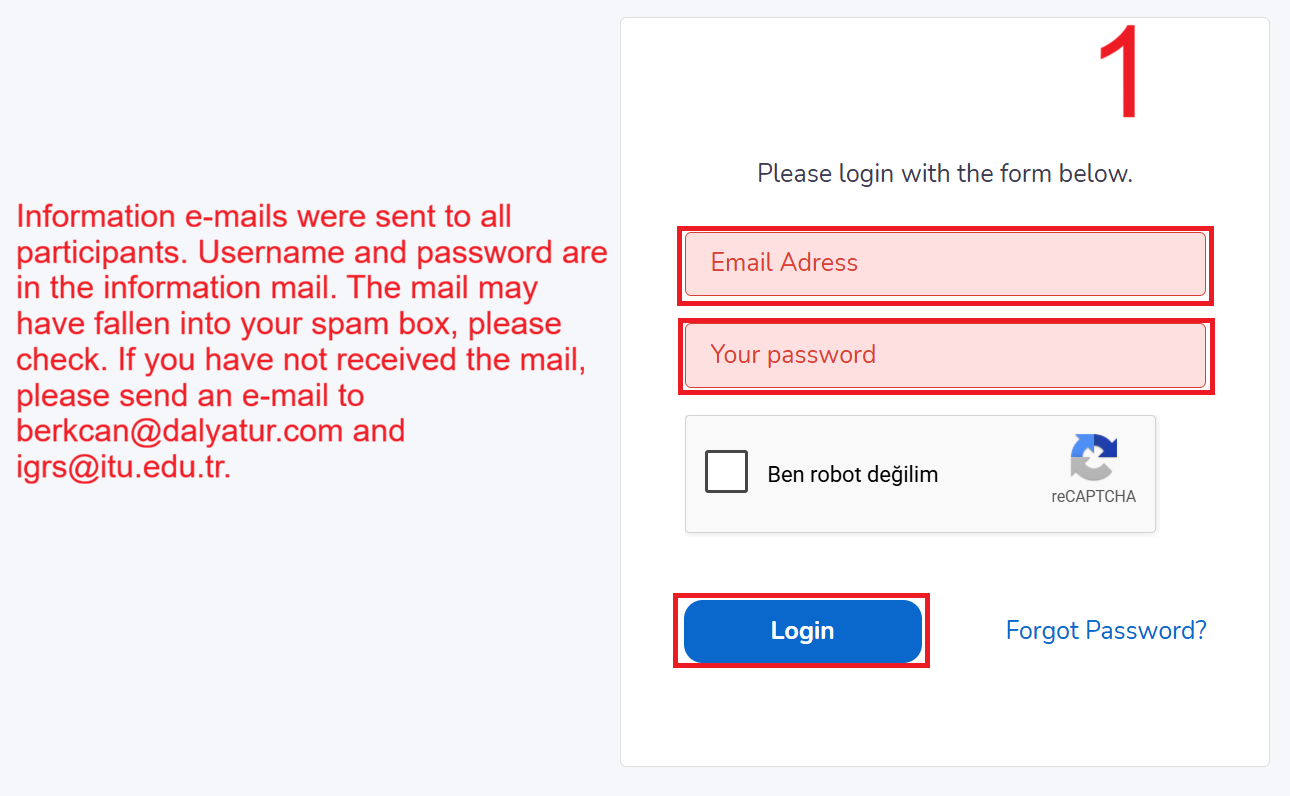
Your platform user information has been sent to your e-mail address. We kindly ask you to check your spam/junk box as it may have fallen there.
Our online conference will be held via the ZOOM Platform, so please ensure that the ZOOM application is installed on your computer. You can visit https://zoom.us/ to download the free application. All presentations to be delivered during our conference will be presented via LIVE SCREEN SHARING.
We would like to remind you that people who have not registered for the symposium will not be able to log in to the online platform, and registered accounts can only be logged in on 1 device. When trying to log in on the 2nd device, the first device will log out.
If you encounter any issues accessing the platform, please contact us at berkcan@dalyatur.com.
Platform Usage Guide
1. Login Screen
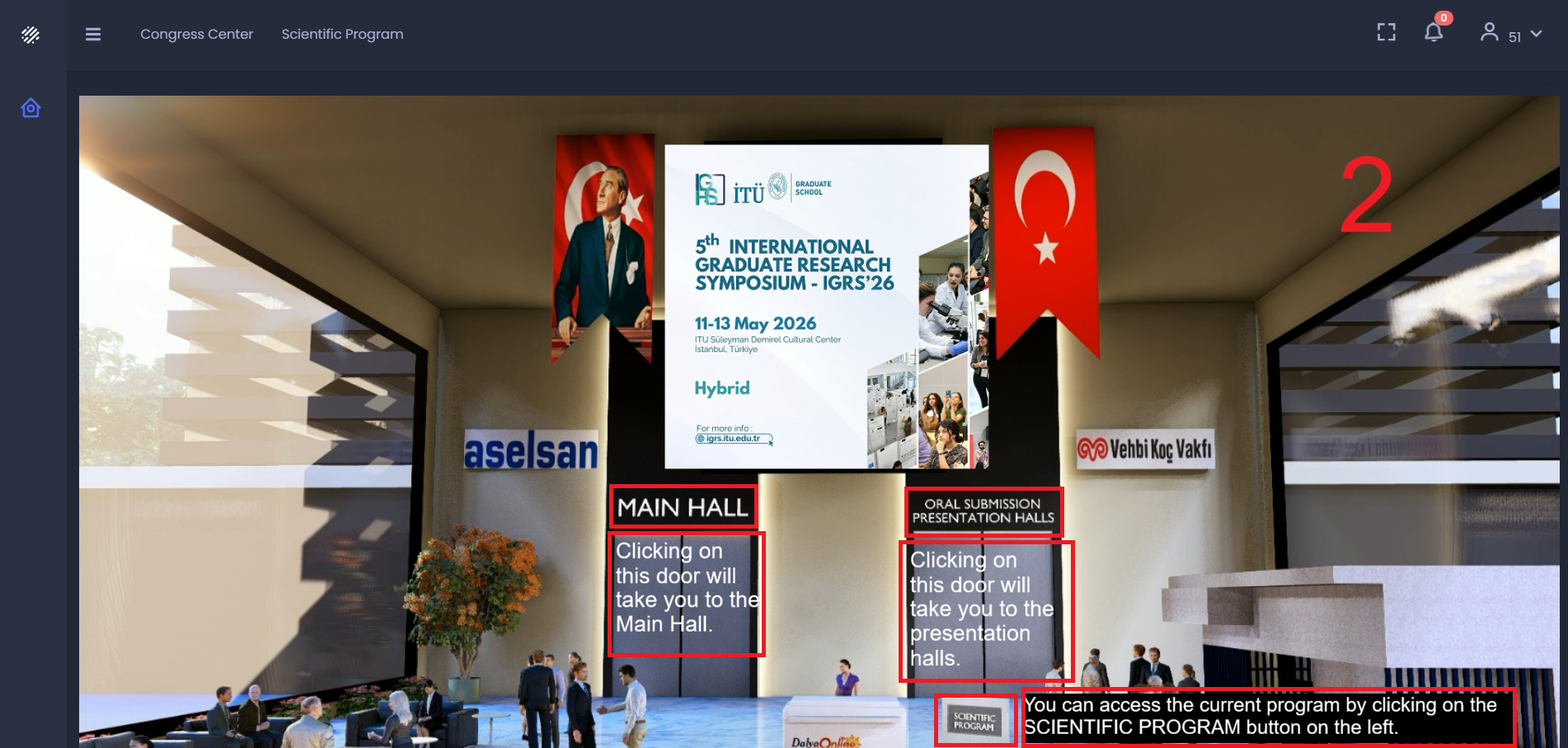
2. Congress Center
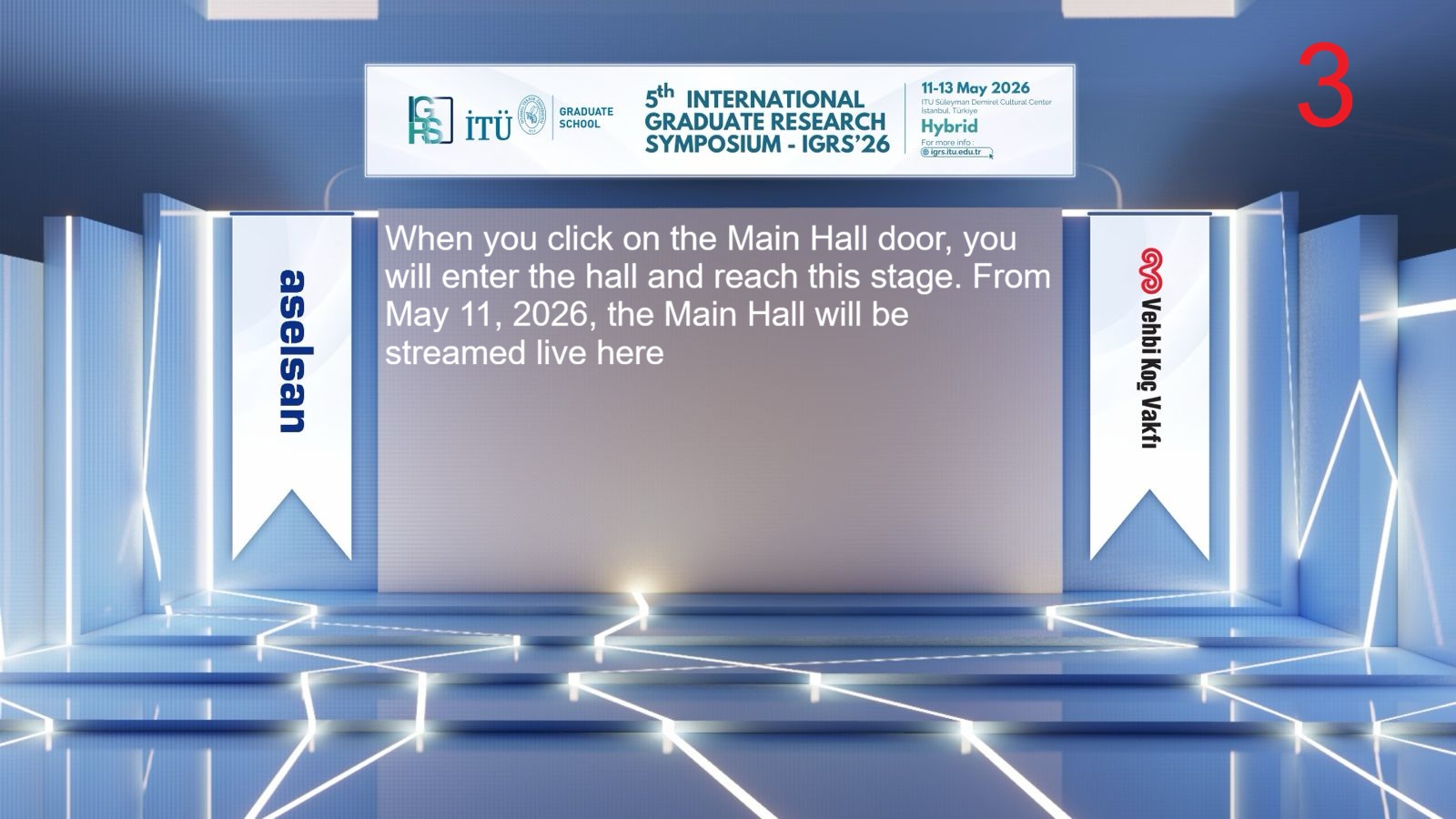
3. Main Hall
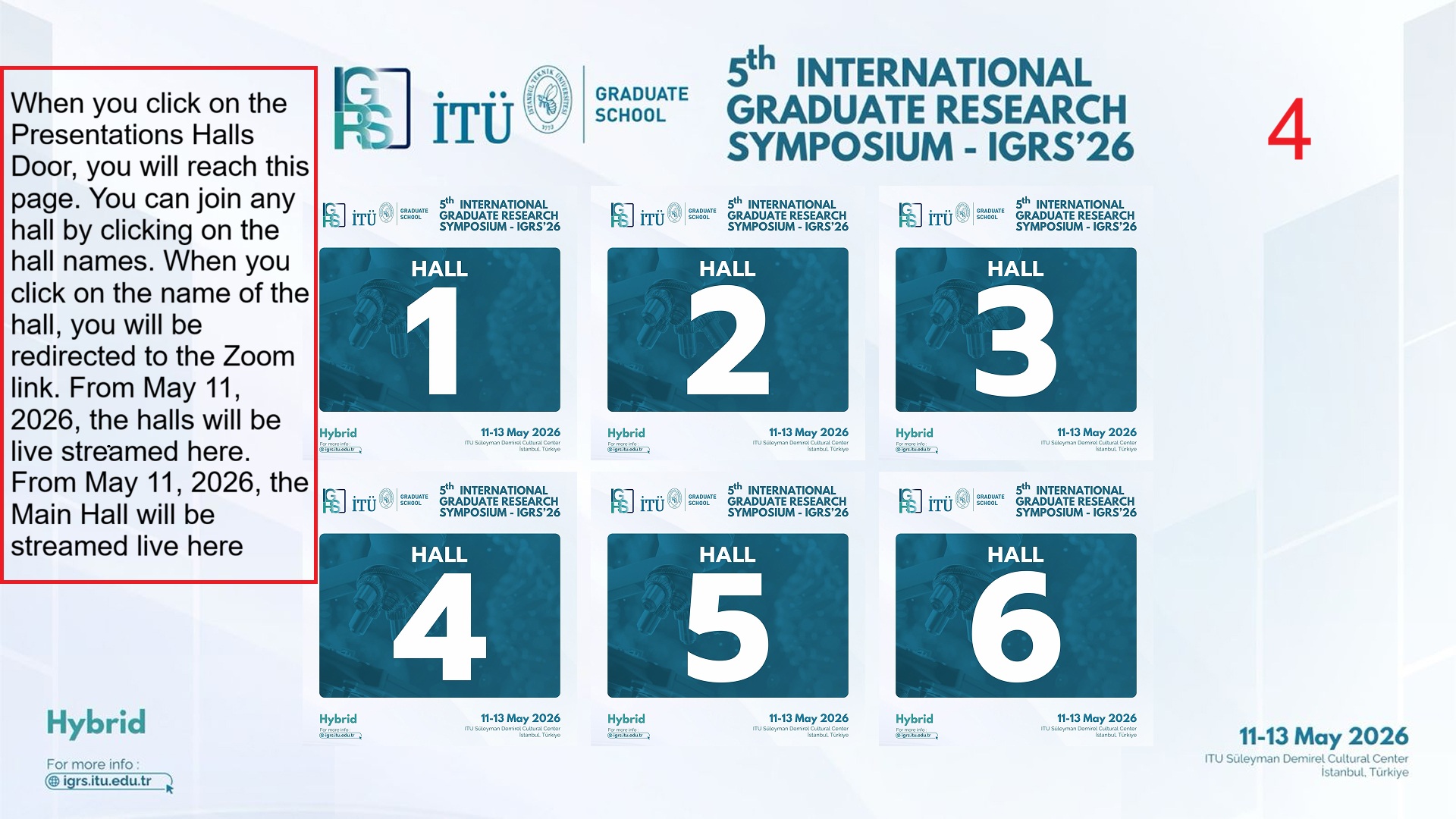
4. Presentation Halls
Virtual Background for Presentations
Participants can use the following virtual background image during their online presentations: